Stringing & Oozing Problems
Follow the steps. Most cases are fixed by step 1 or 2.
- Title
- Bambu Lab Stringing and Oozing: Causes and Fixes
- Section
- Troubleshooting
- Page
- Status
- Not affiliated with Bambu Lab
1 Most likely fix
Lower temperature by 5 °C
Reduce the print temperature by 5 °C and run a test print, repeat up to twice (–10 °C total). A nozzle that's too hot allows filament to ooze even when extrusion is stopped.
Stay inside Bambu's nozzle range for the material:
| PLA | 190–240 °C |
|---|---|
| PETG | 240–270 °C |
| ABS | 240–280 °C |
| TPU | 200–250 °C |
Ranges: Bambu Lab filament material table, listed with a ±10 °C tolerance.
2 Retraction
Increase retraction by 0.2 mm
Open the filament settings in Bambu Studio and increase the Retraction distance by 0.2 mm. The ideal range for Bambu Direct Drive is 0.4–1.0 mm.
- Schematic, not to scale. Filament presets can override the retraction.
- Source: Bambu Studio system profiles, BBL set 02.08.00.09, printer P1S / X1 Carbon 0.4 nozzle, checked 2026-10-16
Bambu recommends keeping retraction at or below 2 mm, because too much retraction can easily cause clogging. Only change by 0.2 mm at a time and test in between.
3 Travel Settings
Shorten travel moves
Bambu's presets already travel at 500 to 1,000 mm/s, so leave travel speed alone. Shorten the travel instead: place multiple models closer together and enable Avoid crossing wall in Bambu Studio (Process → Quality → Advanced).
Travel speed of the 0.20mm Standard presets in Bambu Studio: 500 mm/s on the X1, P1 and A2L, 700 on the A1 and A1 mini, 1,000 on the P2S, X2D and H2 series. Spacing and Avoid crossing wall: Bambu's stringing guide.
4 Filament
Dry your filament
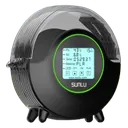
Wet filament causes stringing, look for crackling sounds or steam at the nozzle. Dry the filament before your next print.
| PLA | 50 °C, 8 hrs |
|---|---|
| PETG | 60–65 °C, 8 hrs |
| TPU | 70 °C, 8 hrs |
| Nylon | 75–85 °C, 8–12 hrs |
5 Advanced
Less common causes
If steps 1–4 didn't help, expand the topic that matches your situation:
PETG-specific tips
PETG strings more than PLA by design, some stringing is normal. Most effective: lower the temperature in 5 °C steps toward the low end of Bambu's PETG range (240–270 °C, material table), set retraction to 0.8 mm, enable Avoid crossing wall. High temperatures and long travel moves over gaps are the main causes.
Materials ranked by stringing tendency
1. TPU (worst) → 2. PETG → 3. Nylon → 4. ABS/ASA → 5. PLA (least). For TPU, Bambu's TPU guide recommends short travel moves (print one object at a time), fully dried filament and a nozzle about 5 °C cooler; if it still oozes, raise retraction in 0.2 mm steps from the profile value instead of maxing it out, because too much retraction can clog (Bambu's general advice: no more than 2 mm). Some stringing is generally unavoidable.
Removing strings after printing
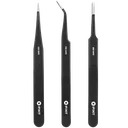
Thin strings can be removed with a heat gun from a distance or by pulling them off. Heavy stringing means your settings still need tuning, cleaning is not a substitute for fixing the root cause.
Adjusting Extra length on restart
If small gaps appear after retractions, set Extra length on restart to 0.05–0.1 mm (Printer settings → Extruder → Retraction). This compensates for material lost during retraction and prevents under-extrusion after travel moves. Bambu Studio shows this option only after you enable Developer mode in Preferences, and Bambu calls it rarely needed: rule out wet filament and a partial clog first.
Still not working? Interactive troubleshooter, Community
Problem solved!
Bookmark this page for next time.
Tools that fix this
Stop the wisps at the source and clean up what is left.
Affiliate links. We may earn a small commission at no extra cost to you.
Nothing worked?
Ask in the official Bambu Lab forum or open a ticket via Bambu Lab support; photos help a lot. You can also contact us or post in our community forum. Or try the interactive troubleshooter.