Layer Splitting & Weak Layer Adhesion
Horizontal cracks, layers separating, prints that snap apart too easily. Follow the steps in order.
- Title
- Bambu Lab Layer Splitting: Causes and Fixes
- Section
- Troubleshooting
- Page
- Status
- Not affiliated with Bambu Lab
1 Confirm the problem
Is it really layer splitting?
Layer splitting looks similar to under-extrusion and warping but has a different root cause and different fixes.
| Problem | Where it appears | What it looks like |
|---|---|---|
| Layer splitting | Middle or throughout print | Clean horizontal crack lines, layers pull apart with fingers |
| Under-extrusion | Everywhere | Gaps and holes in walls, porous/spongy material at break |
| Warping | Bottom layers only | Corners lifting off the build plate |
If the break surface is clean and smooth (the layers formed correctly but didn't bond), you have layer splitting. If the break surface is porous or rough, it's under-extrusion. Go to the under-extrusion guide
2 Most common fix
Raise the nozzle temperature
Low print temperature is the primary cause of layer splitting. The nozzle must be hot enough to re-melt the previous layer slightly when each new layer lands. Without this, layers bond by contact only and separate under any stress.
Raise in 5 °C increments from your filament profile's value, run a test print after each change, and stay inside Bambu's nozzle range for the material.
| Material | Bambu nozzle range |
|---|---|
| PLA | 190–240 °C |
| PETG | 240–270 °C |
| ABS | 240–280 °C |
| ASA | 240–280 °C |
| PA / Nylon | 240–280 °C |
| PC | 260–290 °C |
Ranges: Bambu Lab filament material table, listed with a ±10 °C tolerance. Plain PA is not in that table; its range is from Bambu Studio's Generic PA profile.
To change in Bambu Studio: click the filament box → Nozzle temperature. Create a custom profile so you don't lose the change.
3 Cooling
Reduce the cooling fan speed
Aggressive cooling locks each layer before the next one can bond to it. This is the second most common cause of layer splitting, especially with ABS, ASA, PETG, PA, and PC.
| Material | Part Cooling Fan | Enclosure needed? |
|---|---|---|
| PLA | 50–100% (reduce if splitting) | No (open for PLA) |
| PETG | 30–50% | Optional |
| ABS / ASA | 0–20% | Required |
| PA / Nylon | 0–40% | Required |
| PC | Minimal | Required |
Caution
A1 and A1 mini users: The open-frame design makes ABS, ASA, PC and PA prone to layer splitting even with fan at 0%, because ambient air cools layers too fast. Bambu's filament guide assigns ABS, ASA, PC and PA to enclosed printers, and the A1 FAQ explains why: the open frame and lower chamber temperature make the A1 prone to reduced interlayer strength with high-temperature filaments, so Bambu does not recommend them for large parts that need high interlayer strength. For those parts use an enclosed printer (H2 series, X2D, P2S, X1 series or P1S).In Bambu Studio: Filament settings → Cooling tab → Part Cooling Fan Speed. Also reduce Auxiliary Cooling Fan to 0% for ABS/ASA/PA/PC.
4 Filament
Dry your filament
Moisture in filament creates steam bubbles during printing that interrupt the melt and break the bond between layers. PA (Nylon) and PC take up moisture within hours in humid air: dry them before printing and keep them sealed with desiccant between prints.
Signs of wet filament: crackling/popping sounds during printing, steam or small bubbles at the nozzle tip, rough or bubbly surface texture, worse-than-expected stringing.
| Material | Temp | Time |
|---|---|---|
| PLA | 50 °C | 8 h |
| PETG | 60–65 °C | 8 h |
| ABS / ASA | 75–85 °C | 8 h |
| TPU | 70 °C | 8 h |
| PA / Nylon | 75–85 °C | 8–12 h |
| PC | 75–85 °C | 8 h |
Oven values and the PA/PC advice: Bambu Lab wiki, Filament Drying Recommendations (forced-air oven column; Appendix II on PC) and Model Warping, Falling Off, or Collapsing.
5 Advanced
Less common causes
Layer height too large for your nozzle
The nozzle must physically press into the previous layer for polymer chains to bond. If the layer height exceeds about 70% of the nozzle diameter, there isn't enough contact. Bambu's range is 20 to 70% of the nozzle diameter: 0.08 to 0.28 mm for a 0.4 mm nozzle. Going higher, such as 0.30 mm or more on a 0.4 mm nozzle, risks weak layer bonding. Reduce layer height and test.
Print speed too high
Higher speed means less time for heat transfer between layers. At very high speeds, even a correct temperature setting may not deliver enough thermal energy. Reduce print speed by 20–30% as a test. For non-Bambu filaments and difficult materials (PA, PC), use the Silent speed level (50 % of speed and acceleration) as a starting point. TPU must be printed slowly: Bambu Studio's Generic TPU profile caps flow at 3.2 mm³/s, roughly 35–40 mm/s at 0.2 mm layers with a 0.4 mm nozzle.
Generic vs. Bambu filament profiles: Max Volumetric Speed
The key hidden difference between Generic and Bambu filament profiles is Max Volumetric Speed (MVS): Bambu PLA is set to 21 mm³/s, Generic PLA to 12 mm³/s. The slicer caps the sliced speeds at the filament's MVS, but the Sport and Ludicrous speed levels (124 % and 166 %) are applied on top at print time and can push past it, which Bambu names as a cause of under-extrusion. But if MVS is set higher than your filament can handle, you get under-extrusion between layers that looks like delamination. For third-party filaments: start with a Generic profile and calibrate MVS by slowly increasing until extrusion becomes inconsistent.
Filament too degraded to save
Moisture absorption alone is usually reversible with drying. But long-term exposure causes hydrolysis, which permanently breaks polymer chains. Signs of irreversible degradation: the filament snaps with a brittle crack (no flex at all) when you try to bend it, the printed surface turns dusty or chalky, layer splitting persists after multiple full drying cycles. PLA older than 2 years stored without protection is often too degraded to print reliably. If drying 8+ hours at correct temperature doesn't help: discard the spool.
Changing temperature in Bambu Studio
Click the filament box in the Prepare tab → a popup or sidebar opens showing the filament parameters. Change Nozzle Temperature directly. To save permanently: click the pencil/edit icon → modify the profile → save as a new custom preset (don't overwrite Bambu's official profiles). Fan speed is under the Cooling tab in the same settings panel.
Nothing worked?
Ask in the official Bambu Lab forum or open a ticket via Bambu Lab support; photos help a lot. You can also contact us or post in our community forum. Or try the interactive troubleshooter.
Layers are bonding again!
Bookmark this page for next time.
Tools that fix this
Restore consistent extrusion so layers bond instead of splitting.
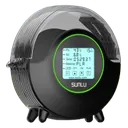
SUNLU FilaDryer S2
Wet filament prints weak, brittle bonds between layers; drying it lets layers fuse properly and stop delaminating.

Capricorn PTFE Tube XS
Capricorn XS, 1.9 mm ID, for replacing a worn tube. Narrower than Bambu's stock tubes (2.0 mm inside the AMS and on the X1/P1, 2.5 mm on the A1, A1 mini, A2L, P2S, X2D, H2C, H2D and H2S); Bambu advises against a smaller ID because it adds friction. In our own printers it has still worked better than the stock tube, which is why we keep recommending it; if feeding gets worse, go back to the stock size.
Affiliate links. We may earn a small commission at no extra cost to you.