Warping & Bed Adhesion Problems
Corners lifting, first layer not sticking, print detaching mid-print. Follow the steps in order.
- Title
- Bambu Lab Warping and Bed Adhesion: How to Fix
- Section
- Troubleshooting
- Page
- Status
- Not affiliated with Bambu Lab
1 #1 cause
Wash the build plate
A dirty plate is the single most common cause of adhesion failure. Finger oils are invisible but completely destroy the adhesion properties of PEI. IPA alone is not enough, as it redistributes oils rather than removing them.
- Remove the plate from the printer.
- Wet the surface with water, apply a few drops of regular dish soap.
- Scrub with a sponge or soft brush (a brush reaches into the texture better).
- Rinse thoroughly with clean water.
- Dry with a paper towel. Do not let tap water air-dry (mineral deposits).
- From this point on: only touch the plate by its edges. Never touch the print surface.
Caution
Textured PEI: Never use acetone, which permanently damages PEI. IPA is fine as a quick wipe between full washes.Do not use dish soap that contains moisturizers or oils, as these leave residue.
2 Plate & temperature
Correct plate and temperature for your material
Bambu printers use different build plates for different materials. Using the wrong plate, or having the wrong plate selected in Bambu Studio (which controls temperatures), is a very common mistake.
| Plate | Best for | Glue required? |
|---|---|---|
| Cool Plate (discontinued) | PLA | Yes (release agent) |
| Textured PEI | PLA, PETG, ABS, ASA, PA, PC, TPU | PLA, PETG, TPU: no. PC, PA, ABS, ASA: glue stick may be needed; ASA-CF, PA6-CF/GF, PAHT-CF, PET-CF, PPA-CF, PPS-CF: glue stick (Bambu) |
| Engineering Plate | PLA (with glue), PETG, TPU, ABS, ASA, PA, PC | Yes, for every filament (Bambu) |
| High Temp / Smooth PEI | PLA, PETG, TPU, ABS, ASA, PC, PA | PLA: no. All others: yes, to keep the PEI sheet from tearing (Bambu) |
| Cool Plate SuperTack | PLA, PETG (never TPU; Bambu advises against its own PLA Silk) | No |
Glue per plate: Bambu Lab Wiki, Introduction to Bambu Lab Build Plates, Bambu Lab Wiki, Filament guide
Bed temperature targets (raise if your current settings are lower):
| Material | Textured PEI | Engineering Plate |
|---|---|---|
| PLA | 65 °C | 45–65 °C (glue) |
| PETG | 70 °C | 60–80 °C |
| ABS / ASA | 90–100 °C | 90–100 °C |
| PA / Nylon | 100–120 °C | 100–120 °C |
| PC | 100–120 °C | 100–120 °C |
Make sure Bambu Studio has the correct plate type selected. The plate setting controls the temperature profile. An incorrect plate selection means wrong temperatures even if you manually own the right plate. It also changes the first layer: on the Textured PEI Plate Bambu's start G-code lowers the nozzle by a few hundredths of a millimeter (0.04 mm on X1/P1, 0.02 mm on A1/A1 mini), and slicing for another plate skips that offset, so the first layer sits too high.
P2S / X2D: these printers read the plate type from a code on second-generation plates. A first-generation plate still works, but the printer shows “Build plate not recognized”: tap Resolved or turn off Build Plate Detection, then check that the plate type in Bambu Studio matches the plate you actually loaded.
3 Enclosure & cooling
Check your enclosure and fan settings
Two opposite mistakes cause warping: the enclosure open when it should be closed, or the cooling fan too strong.
Close the enclosure for: ABS, ASA, PC, PA and their CF/GF variants. These materials need a warm chamber (40–60 °C) to prevent thermal stress. Open-frame printers (A1, A1 mini) are not recommended for large ABS/ASA/PC/PA parts for this reason.
Open the enclosure for: PLA, PLA-CF and TPU when the bed is above 45 °C, and PETG or PETG-CF once the bed is set above 60 to 70 °C (Bambu filament guide). A closed chamber causes heat creep and nozzle clogs. Open the front door and/or remove the top glass.
Reduce the Auxiliary Cooling Fan: On X1C and P1S, the auxiliary fan is a known cause of warping with PETG and ABS, even when bed temperature is correct. In Bambu Studio: Filament settings → Cooling → set Auxiliary Cooling Fan speed to 0% for ABS/ASA, and reduce to 0–30% for PETG.
No fan for the first layers: Bambu recommends setting “No cooling for first X layers” to 3 (Filament settings → Cooling). For PLA, PETG and TPU the first three layers usually need no cooling, and the slower cool-down helps them stay on the plate.
P2S / X2D with PETG: when the adaptive airflow system runs in chamber cooling mode, it pulls cold air in that can hit the print and make it shrink unevenly. Bambu offers a printable air deflector for exactly this case: use it in the deflecting position when you print PETG only, or a PETG part with PLA support; for PLA and everything else, set it to the non-deflecting position so the part still gets its cooling air. Print the deflector itself in PETG or another heat-resistant filament (P2S: the shorter of the two deflectors in Bambu's file, X2D: both).
4 Brim & Z offset
Add a brim and check Z offset
Add a brim: In Bambu Studio, left sidebar → Brim → enable, set width to 5–10 mm (Bambu suggests 8–10 mm when PLA corners lift). A brim holds down the corners during printing. Set brim gap (separation) to 0.1–0.2 mm for easier removal. If a gap remains between brim and part even with the brim gap at 0, Bambu names Elephant foot compensation as the usual cause; turn it off when the brim has to attach fully to the part.
Use Brim Ears for corner warping: First set the object's Brim type to Painted (otherwise Bambu Studio generates no ears; the tool offers “Set Brim type to 'painted'” directly), then open the Brim Ears tool. Auto-generation places ears at corners sharper than the angle you set.
- Dimensions in mm; the gap and the size of the ears are not to scale.
Check first layer Z offset: If the nozzle is slightly too high, the first layer won't bond to the plate. P2S/X2D: run First Layer Quality Calibration. X1/P1/H2D: lower the G29.1 Z value in the machine start G-code in Bambu Studio by 0.01 mm per test until the first layer looks slightly squished and forms a solid sheet without gaps.
5 Advanced
Less common causes
PETG bonding too strongly to PEI (stuck print)
PETG can bond so strongly to smooth PEI that it tears the coating when you try to remove the print. The fix: apply a thin, even layer of Bambu glue stick (or regular Pritt stick) to the plate before printing PETG. This acts as a release agent, not an adhesive. Let the plate cool completely before removing the print. PETG releases on its own at room temperature.
High infill density causing warping
Infill above 50% creates significant internal stress as material shrinks during cooling. This stress concentrates at corners and pulls them up. For large, flat parts that need to stay flat: reduce infill to 15–25%, add more perimeter walls instead (3–5 walls), and use a brim. Gyroid infill creates less stress than grid or rectilinear patterns.
Wet filament causing adhesion failures
Moisture in filament can cause the first layer to appear to adhere initially but then detach as steam pressure builds. PA, PC, and PETG are especially prone. Dry before printing (Nylon: 75–85 °C, 8–12 h; PETG: 60–65 °C, 8 h; PC: 75–85 °C, 8 h) and store in sealed containers with fresh desiccant.
Build plate maintenance and lifespan
All Bambu build plates are consumables. After 100–500+ hours of use (depending on material and cleaning frequency), adhesion properties fade. Textured PEI can be lightly scuffed with fine sandpaper or steel wool to restore the surface texture. Smooth PEI plates are harder to restore and typically need replacement. If you've cleaned the plate thoroughly and adhesion is still poor: the plate may simply be worn out. Our build plate buying guide compares replacements that fit Bambu printers.
Nothing worked?
Ask in the official Bambu Lab forum or open a ticket via Bambu Lab support; photos help a lot. You can also contact us or post in our community forum. Or try the interactive troubleshooter.
Prints are sticking again!
Bookmark this page for next time.
Warping, pop-off or collapse? Name the failure first
Bambu sorts these failures into three types, and each one needs a different fix:
- Schematic side views.
- Corner warping: edges or corners curl up, often mid-print, sometimes with a horizontal ripple line on the side where the nozzle hit the lifted layer. Cause: the outside cools and shrinks faster than the center. Fix: plate cleaning, a slightly hotter bed, brim or brim ears, less cooling.
- Adhesion failure: the whole part slides or pops off. Cause: fingerprints or grease on the plate, the wrong plate type in Bambu Studio, or a first layer printed too high. Fix: wash the plate, rerun auto bed leveling, match the plate type.
- Collapse: the top turns into a bird's nest or shifts sideways. Cause: the nozzle knocks a tall, thin part over, infill patterns that cross within one layer (Grid, Triangles) build bumps the nozzle catches, or loose belts. Fix: 20–30 % less speed and acceleration, supports or a flatter orientation, Gyroid or Rectilinear infill, belt tension.
Bambu also notes that slight warping is easy to miss and can look like an extrusion or flow problem on the side walls and top layers.
Which filaments warp most
Bambu ranks shrinkage risk from highest to lowest: PC, PA-CF, PA, ABS, ASA, PETG, PLA. For large flat parts it suggests PLA, PLA-CF, PETG or PETG-CF where the material choice is open, and says large flat ABS, ASA or PC parts almost always warp without an enclosure.
The room around the printer
- Drafts: an open window, an air conditioning vent or a desk fan cools one side of the part faster than the other. Block the airflow; on enclosed printers close the door and top cover for materials that need it.
- Cold room: below about 20 °C, Bambu says even PLA and PETG can warp. On an open-frame printer such as the A1, it suggests raising the bed temperature by another 10 °C.
- Wet filament: crackling or popping during printing, or rough, bubbly or stringy surfaces, mean the filament has absorbed moisture. Dry it before the next attempt; Bambu warns that nylon and PC pick up moisture within hours in a humid room.
Brim alternative: discs as mouse ears
If a full brim is hard to remove, Bambu Studio can place small discs at the corners instead: right-click the part, Add part → Disc, copy it to each corner that lifts, then give the discs a different wall loop count than the part (for example 3 instead of 2) so they slice as separate pieces that snap off afterwards. Bambu now points to the built-in Brim Ears tool for the same job, which needs fewer steps.
Sources
10 sources, including Bambu Lab wiki and GitHub.
ShowHide
- Bambu Lab Wiki, Model Warping, Falling Off, or Collapsing (updated 2026-05-25)
- Bambu Lab Wiki, P2S/X2D Model Warping Troubleshooting (updated 2026-08-11)
- Bambu Lab Wiki, Bambu Cool Plate SuperTack (updated 2026-08-24)
- Bambu Lab Wiki, Introduction to Bambu Lab Build Plates (updated 2026-09-28)
- Bambu Lab Wiki, Cool Plate, discontinued (updated 2026-08-05)
- Bambu Lab Wiki, Tips for using discs to prevent warping (updated 2025-09-17)
- Bambu Lab Wiki, Filament guide (updated 2026-09-24)
- Bambu Lab Wiki, Brim (updated 2026-04-16)
- Bambu Lab Wiki, Brim Ears (updated 2024-10-23)
- Bambu Studio printer profiles, start G-code templates (checked 2026-10-03)
Tools that fix this
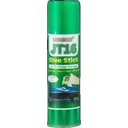
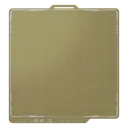
Lock the first layer down so corners stop lifting.
Affiliate links. We may earn a small commission at no extra cost to you.
HMS codes that point here
If Bambu Handy or Bambu Studio shows one of these HMS codes, it maps to the problem on this page. Each code links to Bambu's official step-by-step fix; come back here if the official steps don't solve it.
HMS_0300-0100-0001-0003– Heatbed over temperature, official fixHMS_0300-0100-0001-0007– Heatbed temperature sensor fault (open circuit), official fixHMS_0300-1800-0001-0006– Heatbed leveling data abnormal, official fix