Build Plate Care & Cleaning
Maintain perfect first-layer adhesion with proper build plate maintenance.
Why is my filament not sticking to the plate?
Wash the plate with warm water and dish soap, scrub with a sponge or plastic brush, rinse and dry with a paper towel: that is Bambu's first fix for adhesion problems. Between washes a 90%+ IPA wipe on a cool plate is fine, but IPA alone tends to spread finger oils. If washing stops helping, the plate itself may be worn out; our build plate buying guide compares replacements that fit Bambu printers.
- Title
- Bambu Lab Build Plate Care and Cleaning Guide
- Section
- Guides
- Last updated
- Page
- Status
- Not affiliated with Bambu Lab
What you need
- BIQU PyroGrip PEI Plate 257×257: A textured PEI spare for when your plate is scratched or worn smooth. View on Amazon
- TEQStone Bed Adhesive Glue Stick 6-Pack: Glue for the thin release coat Bambu recommends on the Cool Plate and for the Engineering Plate. View on Amazon
- UniTak3D Double-Sided PEI 257×257: Smooth PEI on one side and textured on the other, two surfaces in one plate. View on Amazon
- Amazon Basics 99% Isopropyl Alcohol: For the quick wipe on a cool plate between washes. Flammable, so only with the printer off and the hotend and bed cold. View on Amazon
Affiliate links. We may earn a commission at no extra cost to you.
Which plate for which material? (bed temperatures from Bambu's filament guide)
| Material | Cool Plate (old) | Textured PEI | Smooth PEI | Eng. Plate |
|---|---|---|---|---|
| PLA | 35–45°C | 45–65°C | 45–65°C | 45–65°C, glue required |
| PETG | Not recommended | 60–80°C | 60–80°C | 60–80°C |
| ABS/ASA | Not recommended | 90–100°C | 90–100°C | 90–100°C |
| TPU | Not recommended | 35–45°C | 35–45°C | 30–35°C |
| PA/Nylon | Not recommended | 100–120°C | 100–120°C | 100–120°C |
| PC | Not recommended | 100–120°C | 100–120°C | 100–120°C |
Plate types at a glance
| Plate | Surface | Best for |
|---|---|---|
| Cool Plate SuperTack | SuperTack coating on spring steel | PLA, PETG (no glue needed; never TPU; Bambu advises against its own PLA Silk) |
| Cool Plate (discontinued) | PC sheet, glue stick as release agent | PLA |
| Textured PEI | Textured | PLA, PETG, ABS, ASA, TPU, PA, PC |
| Smooth PEI (High-Temp Plate) | Smooth PEI | PLA; PETG, ABS, ASA, TPU, PA, PC with glue (Bambu) |
| Engineering Plate | Frosted high-temp | PA, PC, PPA + glue |
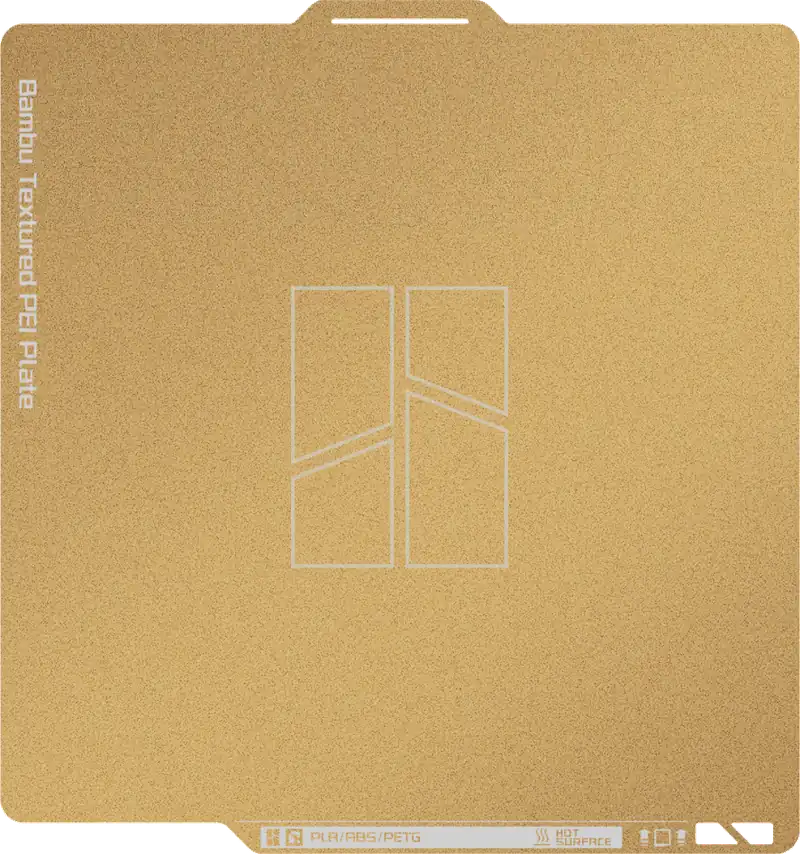
Textured PEI
PLA, PETG, ABS, ASA, TPU, PA, PC
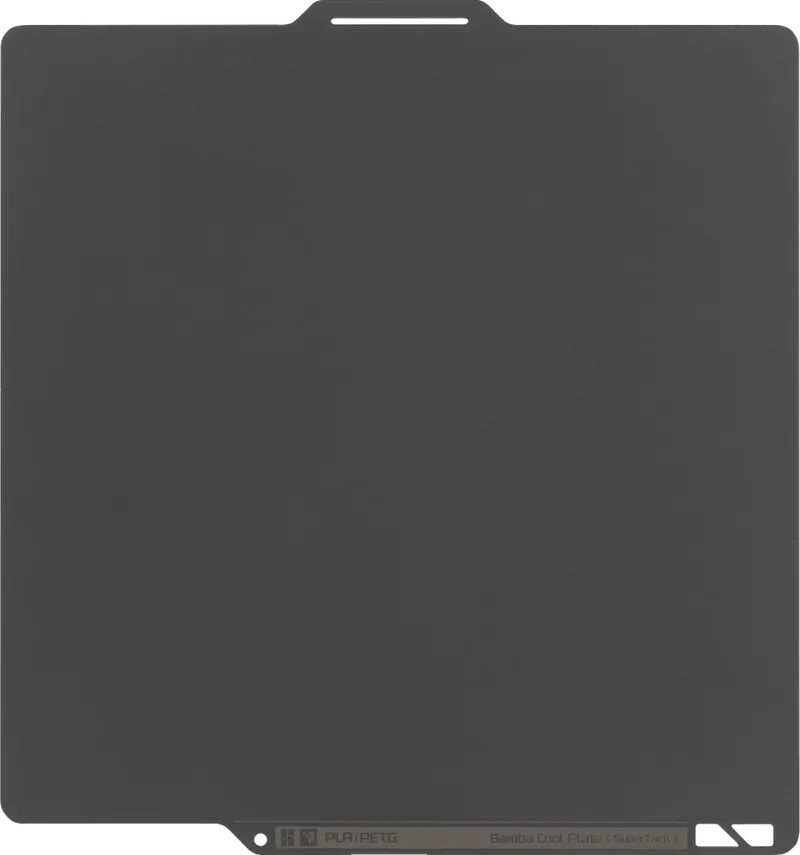
Cool Plate SuperTack
PLA, PETG, no glue needed
Daily cleaning (before every print)
This 30-second routine prevents most adhesion problems:
- Let the plate cool. Never clean a hot plate with IPA (it evaporates instantly without cleaning).
- Spray 90%+ IPA onto the plate or onto a cloth
- Wipe with a clean, lint-free cloth
- Wipe in one direction; don't scrub back and forth
- Let dry for 10–15 seconds
70% rubbing alcohol contains water and additives that leave residue. 90%+ IPA evaporates cleanly. This single change fixes adhesion for many users.
Not for every surface: on the textured PEI plate Bambu’s first fix is warm water and dish soap, since IPA alone tends to spread finger oils, and coated cold plates such as the BIQU CryoGrip Frostbite take water and soap only, because BIQU warns that alcohol can permanently damage the surface (PyroGrip vs CryoGrip).
Cleaning and no-gos by plate
| Plate | Clean with | Avoid |
|---|---|---|
| Textured PEI | Warm water and dish soap, scrubbed into the texture; a 90%+ IPA wipe on a cool plate between washes. Glazed surface: light sanding with fine sandpaper or steel wool, then wash | Acetone |
| Smooth PEI (High-Temp Plate) | 90%+ IPA wipe on a cool plate; the weekly wash with warm water and dish soap | Acetone; the scouring pad, sandpaper and steel wool tips, which Bambu gives for the Textured PEI Plate only |
| Cool Plate SuperTack | Water and detergent, only when it is visibly dirty | Acetone and other organic solvents; printing TPU, which Bambu says damages the plate |
| Cool Plate (discontinued) | Warm water and dish soap, then dry with a paper towel | Printing PETG: Bambu lists it as not recommended, it bonds too aggressively and can rip the surface |
| BIQU CryoGrip Frostbite | Water and soap only | Alcohol: BIQU warns it can permanently damage the surface |
All plates: clean only when the plate is cool. Sources as on this page: Bambu's build plate guides and BIQU.
Weekly deep clean
- Remove the plate from the printer
- Wash with warm water and dish soap; on Textured PEI scrub with a sponge, scouring pad or plastic brush so the soap reaches into the texture (Bambu)
- Rinse thoroughly. No soap residue
- Dry with a clean cloth or let air dry
- IPA wipe before using
Adhesion still failing? Advanced fixes
Textured PEI: light sanding
If the textured surface has been glazed by repeated printing, light sanding restores texture. Use fine sandpaper or steel wool (Bambu), then wash off all sanding debris and IPA wipe. Removes the glazed layer and exposes fresh PEI.
- Bambu also lists 0.4 mm for the steel sheet; texture and platform are drawn schematically.
- Source: Bambu Lab store, Textured PEI Plate product page, checked 2026-10-16
Cool Plate (discontinued): wash, then check for damage
Bambu's fix is a wash with warm water and dish soap, then dry with a paper towel. Deep scratches from nozzle crashes can't be repaired: the plate needs replacement.
Cool Plate SuperTack: clean only when dirty
SuperTack holds PLA and PETG without glue and needs no frequent cleaning. Clean it with water and detergent only when it is visibly dirty, never with acetone or other organic solvents. The surface is soft; scratches from the scraper do not affect use (Bambu).
New plate not sticking
New plates sometimes have a factory protective film. Wash with soap and water before first use. The first few prints on a brand-new plate sometimes don't adhere as well as on a broken-in plate.
When to replace a build plate
Plates are consumables. Replace when:
- Deep scratches or gouges from nozzle crashes
- Adhesion consistently fails despite cleaning and resurfacing
- Surface has worn smooth (textured plates lose texture over time)
- PEI coating is delaminating from the spring steel
For a replacement that fits your printer, textured or smooth PEI, see our guide to the best build plates for Bambu Lab.
What NOT to do with build plates
- Don't use acetone on PEI or the Cool Plate SuperTack. It destroys the surface
- Don't touch the print area with bare hands (finger oils kill adhesion)
- Don't carry the Textured PEI tips over to smooth plates: Bambu's scouring-pad, sandpaper and steel-wool advice covers the Textured PEI Plate only
- Don't print PETG on the old Cool Plate (the Cool Plate SuperTack is fine for PETG): Bambu lists it as not recommended; it bonds too aggressively and can rip the surface
- Don't print TPU on the Cool Plate SuperTack: Bambu says it damages the plate
- Don't clean a hot plate
Tools for this job
Keep the plate gripping like new.
TEQStone Bed Adhesive
Doubles as the release agent Bambu recommends on the Cool Plate and extra grip for warp-prone materials.
BIQU PEI Sheet
The replacement when your textured PEI is scratched or worn smooth. Same mount as the stock plate.
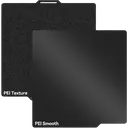
UniTak Double-Sided PEI
Smooth on one side, textured on the other: two fresh surfaces from a single plate swap.
Affiliate links. We may earn a small commission at no extra cost to you.