Extruder Deep Clean & Maintenance
Advanced. 45 minutes. Covers X1C, P1S, P1P, A1, and A1 mini.
My extruder is not feeding properly. What do I do?
Try a cold pull first: heat to printing temp, cool to 90°C (PLA) or 120°C (PETG/ABS), then retract via the screen and help only lightly by hand. This clears most clogs without disassembly.
- Title
- Bambu Lab Extruder Cleaning and Maintenance Guide
- Section
- Guides
- Last updated
- Page
- Status
- Not affiliated with Bambu Lab
Symptom → likely fix
| Symptom | Likely fix |
|---|---|
| Under-extrusion | Cold pull, then gear clean |
| Grinding noise | Gear clean + check for jam |
| Won't load filament | PTFE tube inspection |
| Stringing (new issue) | Gear clean, check retraction |
| Burnt smell | Full clean + nozzle replacement |
When to deep clean the extruder
- Persistent under-extrusion that continues after nozzle replacement
- Grinding sounds from the extruder motor area
- Filament won't load (sticks before reaching the hotend)
- Excessive stringing despite correct retraction settings
- Burnt smell indicating charred filament in the path
- Preventive: check the extruder gear weekly and clean it when filament dust shows. Bambu gives no hour interval: it recommends a weekly check on the X1 and cleaning the gear every 5 spools on the A1 / A1 mini (every 2 with carbon fiber filaments), and its P1 cleaning guide shows an extruder already dirty after about 400 hours without maintenance.
Not sure the grinding comes from the extruder? The printer noise guide sorts the common sounds by when they happen and which part usually causes them.
Try this first: cold pull procedure
Before a full teardown, try a cold pull. It clears most clogs without disassembly:
- Heat nozzle to the material's printing temperature
- Push filament through manually until it extrudes cleanly
- Drop temperature to 90°C for PLA, 120°C for PETG/ABS
- When at target temp, press Retract on the screen and help only lightly by hand; do not pull hard against the extruder gears
- Inspect the tip of the extracted filament. It should pull out any debris
- Repeat 3–5 times or until the tip comes out clean
Tools needed for full deep clean
- 1.5 mm and 2.0 mm hex keys (H1.5 / H2.0)
- Bambu lubricant grease
- Precision screwdrivers
- Needle-nose pliers and tweezers
- Brass brush (not steel)
- Compressed air, or a rechargeable electric duster instead of cans, such as the WOLFBOX MegaFlow 50 (Bambu's X1 maintenance wiki recommends compressed air for the extruder gear and fans, with the printer off and the fan blades held in place)
- 90%+ IPA and microfiber cloths
- Small container for screws
- Heat-resistant gloves, such as Grill Armor gloves with fingers, for briefly handling a warm part; Bambu's procedures normally work on a cold nozzle
Affiliate links. We may earn a commission at no extra cost to you.
Caution
Safety firstThis procedure involves hot components and partial disassembly. Allow full cooling time. Use heat-resistant gloves. If you're not comfortable with partial disassembly, the cold-pull method above resolves most issues without teardown.
Preparation before deep clean
- Unload all filament (including from AMS if fitted). Manually pull any remaining filament from the PTFE tube.
- Heat the hotend to 250°C to soften stuck material, then cool to below 60°C
- Power off the printer completely and unplug from power
Extruder gear cleaning (no teardown needed)
This handles most gear-related issues without disassembly:
- Remove the toolhead front cover to reach the extruder (X1: open it and slide it onto the top rail; P1: lift it, unplug the toolhead fan connector, then take it off). For a full clean Bambu removes and opens the extruder, see Bambu's extruder cleaning guide for X1 and P1.
- Use compressed air to blow filament dust from the gear teeth
- Use a stiff brush (brass or old toothbrush) to clean the gear teeth
- Inspect gear teeth for damage or unusual wear
- If the extruder is open: apply a small amount of grease to the idler gear teeth and the sides of the drive gear, then wipe off the excess. Less is more; grease must not reach the filament path.
- Reload filament and listen for improved feeding
PTFE tube inspection and replacement
The PTFE tube guides filament from the input to the hotend. Partial blockages cause inconsistent extrusion:
- Disconnect the PTFE tube at both ends (push the collet collar in, then pull the tube)
- Inspect the inner bore for discoloration, partial blockages, or deformation
- If dirty: flush with compressed air, or replace (PTFE tubes are cheap)
- Check the tube ends, they should be cut cleanly with no burrs
- Reinsert fully: push tube in until it seats, then pull back slightly to verify locked
After cleaning: verification steps
- Reassemble in reverse order
- Load filament and test extrusion manually
- Run a test print, a single-wall cube or temperature tower works well
- Run flow calibration in Bambu Studio after any significant extruder work
Need gear? Our picks, All accessories
Tools for this job
The hand tools that make extruder work painless.
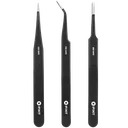
iFixit Precision Tweezers
Pull filament fragments and debris out of the extruder gears without scratching or forcing anything.
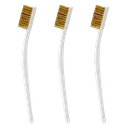
Brass Brush Set
Sweeps ground filament dust off the extruder gears and the nozzle exterior before you reassemble.
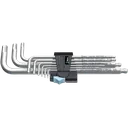
Wera Hex-Plus L-Key Set
Opens the extruder housing screws cleanly; worn or soft hex keys round out the small M3 heads.
Affiliate links. We may earn a small commission at no extra cost to you.