A1 Firmware 1.08: Multicolor Without an AMS
Short version
Firmware 01.08.00.00 for the Bambu Lab A1 and A1 mini lets you print multicolor from the external spool holder by swapping filament by hand, without the AMS lite attached. It also lets an AMS 2 Pro or AMS HT pick Bambu's drying preset for official filaments automatically, and checks nozzle diameter and hardness before a print. If you own an A1 or A1 mini and skipped the AMS lite, this is the update that brings basic multi-color into reach.
- Title
- A1 Firmware 1.08: Multicolor Without an AMS
- Section
- News
- Published
- Last updated
- Prices checked
- November 3, 2026
- See also
- A1 spec page
- Page
- Status
- Not affiliated with Bambu Lab
What the update is
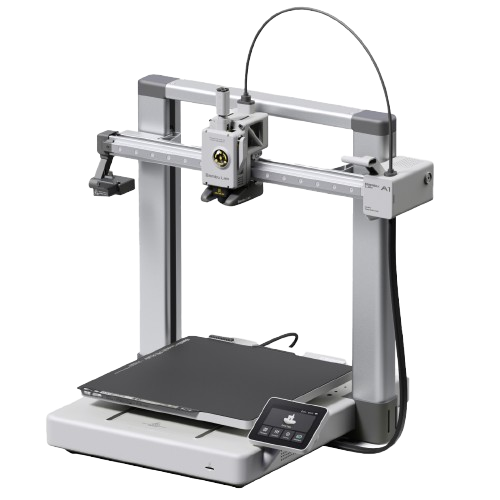
Bambu Lab released firmware version 01.08.00.00 for the A1 and A1 mini on April 14, 2026 (the follow-up 01.08.01.00 arrived on June 3, 2026), its two open-frame direct-drive printers. The A1 ($259) has a 256 × 256 × 256 mm build volume; the smaller A1 mini ($199) prints at 180 × 180 × 180 mm. Both are single-nozzle machines that normally handle multi-color through the AMS lite, an external multi-spool unit. Firmware 1.08 changes what the printer can do on its own.
| Change | What you need besides firmware 01.08.00.00 |
|---|---|
| Multicolor from the external spool | Bambu Studio 2.5.2.65 or later; no AMS lite needed. You swap the filament by hand during the print. |
| Automatic drying presets | An AMS 2 Pro or AMS HT drying official Bambu filament. The A1 and A1 mini run both units since firmware 01.07.00.00, connected through the A Series AMS Hub (sold separately). |
| Pre-print checks | Nothing extra: the printer checks nozzle diameter and nozzle hardness before a job starts. |
Multicolor from an external spool, no AMS lite
The headline feature is multicolor printing using an external spool without the AMS lite attached. With 1.08, the A1 supports multi-color printing from the external spool holder: you swap filaments by hand during the print, and no AMS lite is needed. It requires Bambu Studio 2.5.2.65 or later.
This is not the same as automatic color changes through an AMS lite. It is a lighter, single-source workflow: fewer colors, more manual than a full AMS setup, but it is officially supported and costs nothing extra. For A1 owners who wanted to try color printing without committing to the AMS lite, this lowers the barrier to zero. If you do run the AMS lite, our multi-color techniques guide covers getting the most out of a full multi-spool setup.
Automatic drying presets (AMS 2 Pro and AMS HT)
The 1.08 firmware adds automatic drying presets for the AMS 2 Pro and AMS HT: when one of them dries official Bambu filament, the printer now matches the drying parameters itself. The A1 and A1 mini have no dryer of their own; they have supported these AMS units since firmware 01.07.00.00, so this only matters if you run one of them.
For owners of those units it removes the guesswork about drying temperature and time for official filament.
Pre-print checks
The update also checks nozzle diameter and nozzle hardness automatically before a job starts, so a file sliced for a different nozzle is caught before filament and time are spent. On a printer aimed at newcomers, catching mistakes up front is a meaningful reliability gain.
Who benefits
- A1 and A1 mini owners without the AMS lite. Basic multi-color printing is now possible from the external spool by swapping filament by hand, at no extra cost.
- A1 owners who dry filament in an AMS 2 Pro or AMS HT. Official Bambu filaments now get the matching drying preset automatically.
- Newer users. Pre-print checks catch a wrong nozzle diameter or nozzle hardness before the job runs.
The firmware is a free update for both machines. As always, read the release notes, avoid updating mid-print, and run a quick test print after updating. See our firmware updates page for the safe-update routine.