Bambu Lab A1 vs Snapmaker U1: The Multicolor Challenge
Short version
In June 2026 PCMag made the Snapmaker U1 its "Best Mainstream Multicolor-Capable 3D Printer", a slot the Bambu Lab A1 held before. The U1 earns it on engineering: four independent toolheads that swap in seconds, so a color change needs only a small prime instead of a full purge. But it costs $699 (Snapmaker US store, $999 struck through, checked November 2, 2026) to the A1 Combo's $359 in the Bambu US store (checked November 3, 2026), and it comes from a much smaller ecosystem. If you print multicolor constantly, the U1 is the more efficient machine. If multicolor is occasional, the A1 Combo still buys you 90% of the experience for $340 less.
- Title
- Bambu A1 vs Snapmaker U1: Multicolor Rival
- Section
- News
- Published
- Last updated
- Prices checked
- November 3, 2026
- Disclosure
- Comparison, not sponsored, specs from manufacturer data and cited reviews
- Sources
- Listed under the article
- Page
- Status
- Not affiliated with Bambu Lab
Why this comparison exists now
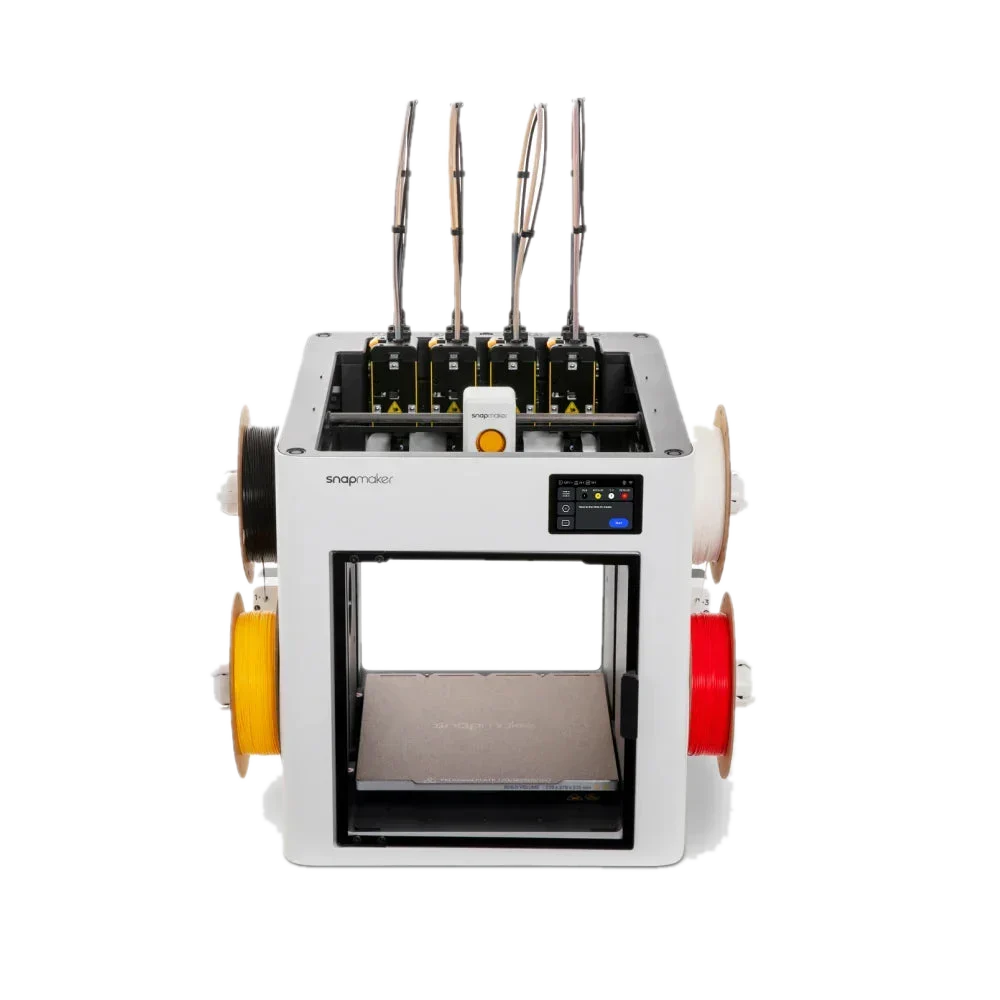
Two things happened in June 2026. PCMag updated its Best 3D Printers list on June 23 and wrote: "we added the Snapmaker U1 as Best Mainstream Multicolor-Capable 3D Printer, replacing the Bambu Lab A1." Tom's Hardware also lists the U1 as its "Best Multicolor 3D Printer" pick, while keeping the Bambu X2D as "Best 3D Printer Overall". So the U1 is not a fringe Kickstarter story; two of the biggest US review outlets now point multicolor buyers away from the A1 and toward Snapmaker.
That deserves a sober look rather than a defensive one. The A1 is one of the most recommended printers on this site. The question is whether the U1 changes that recommendation, and for whom.
The two machines side by side
| Spec | Bambu Lab A1 | Snapmaker U1 |
|---|---|---|
| Price | $359 Combo with AMS Lite, $259 without (Bambu US store, November 3, 2026) | $699 ($999 struck through, Snapmaker US store, November 2, 2026) |
| Multicolor approach | 1 nozzle + AMS Lite feeding 4 spools | 4 independent toolheads, dock swap |
| Waste per color change | Purge on every change, scales with color count | Minimal by design: no color flush, small prime/wipe tower (Snapmaker: up to 85% less waste) |
| Build volume | 256 × 256 × 256 mm | 270 × 270 × 270 mm |
| Motion / speed | Bedslinger, up to 500 mm/s | CoreXY, up to 500 mm/s, 20,000 mm/s² |
| Hotends | 1 × quick-swap nozzle, 300°C | 4 × stainless steel 0.4 mm, 300°C |
| Materials (open frame, both) | PLA, PETG, TPU, PVA | PLA, PETG, TPU, PVA, PCTG |
| Slicer / ecosystem | Bambu Studio + MakerWorld, huge profile library | Snapmaker Orca (OrcaSlicer fork), Snapmaker app |
| Enclosure | No | Open frame, top cover sold separately |
| Availability (July 16, 2026) | In stock | In stock (US $899, EU €899) |
Spec sources: Snapmaker product page (manufacturer data), Bambu Lab published specs, PCMag and Tom's Hardware reviews. We have not tested a U1 ourselves yet; treat U1 performance numbers as manufacturer claims until independent long-term data piles up. Snapmaker's headline efficiency claim is "up to 85% less waste" than shared-nozzle systems, from its own lab tests.
Two ways to do multicolor
Snapmaker U1: swap the whole toolhead
The U1 is a tool changer, the same idea Prusa sells with the INDX system and E3D pioneered with the ToolChanger. Each of the four toolheads is a complete extruder and hotend with its own filament loaded. On a color change, the printer parks the current head in the dock and picks up the next one; Snapmaker quotes about five seconds per swap. Because each nozzle only ever sees one filament, there is no color to flush out, so no waste chute filling up with rainbow noodles. Snapmaker still prints a small prime/wipe tower during color changes and clears the nozzles before each job, and quotes up to 85% less waste than shared-nozzle systems.
The practical consequences: multicolor prints finish faster (no purge cycles) and a spool goes further. It also means true multi-material combinations are cleaner, for example PLA plus PVA soluble supports, or a rigid body with TPU contact points, each from a dedicated nozzle at its own temperature.
Bambu A1: one nozzle, four spools, purge on change
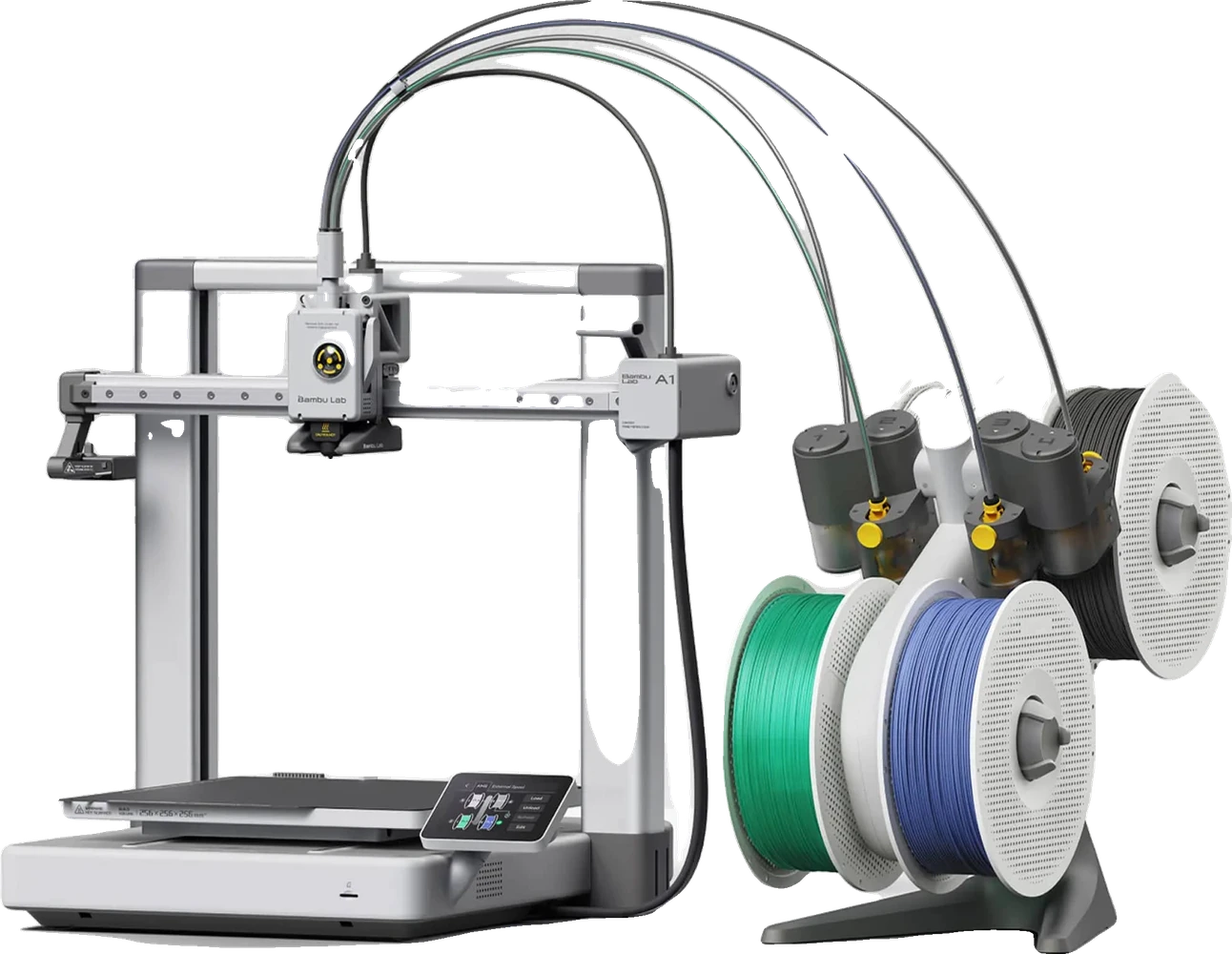
Bambu Lab A1 Combo. Image: Bambu Lab (product image).
The A1 Combo pairs one nozzle with the AMS Lite, which feeds up to four spools into the same hotend. Every color change retracts the old filament, pushes the new one through, and purges until the color runs clean. It works, it is reliable, and it is the setup that made multicolor mainstream in the first place. But the waste is real and it scales with how many changes your model needs: a many-color print can easily spend a meaningful share of its filament on purge material. Bambu's own wiki documents flush volumes without promising a fixed number, because it depends on the color pair and settings.
The A1 answers back with everything around the printing: Bambu Studio, painted multicolor models from MakerWorld that slice with one click, tuned filament profiles, and an install base so large that every problem you hit has already been solved in a forum thread.
Where the U1 wins
- Waste and speed on color-heavy prints. No purge between colors is a structural advantage no AMS firmware update can match. The more color changes per layer, the bigger the gap.
- Real multi-material. Four dedicated hotends mean PVA supports or TPU inserts without cross-contamination or temperature compromises.
- Slightly bigger build volume. 270 mm cubed vs 256, and the toolchanger design loses no build area to a second carriage.
- Modern motion system. CoreXY with carbon fiber X rails against the A1's bedslinger; on paper both quote 500 mm/s, but the U1 carries less moving mass in Y.
Where the A1 holds up
- Price. $359 for the Combo against $699 (A1 Combo in the Bambu US store, checked November 3, 2026; U1 in the Snapmaker US store, checked November 2, 2026). That difference buys a lot of filament.
- Ecosystem. MakerWorld's one-click multicolor models, Bambu Studio maturity, and spare parts everywhere. Snapmaker Orca is an OrcaSlicer fork, which is a solid base, but the model-to-print pipeline is nowhere near as frictionless.
- Proven reliability. The A1 has been printing in hundreds of thousands of homes since 2023. The U1's long-term durability, especially of the dock mechanism, is still an open question that only time answers.
- Expansion path. The A1 also works with the AMS 2 Pro (firmware 01.07.00.00 or later plus the separately sold A Series AMS Hub), and the four-slot limit matters less if you mostly print two or three colors.
Which should you pick?
Get the Bambu A1 Combo if…
$359
- Multicolor is occasional and $340 saved matters more than purge waste
- You want MakerWorld's one-click multicolor library
- You want a machine with three years of community knowledge behind it
Get the Snapmaker U1 if…
$699
- Multicolor or multi-material is your main use case, not a party trick
- You print color-heavy models weekly and the purge waste genuinely bothers you
- You are comfortable with a younger ecosystem and OrcaSlicer-style tinkering
- You mostly print PLA, PETG or TPU, or can wait for the optional top cover that unlocks ABS/ASA (still a pre-order in Snapmaker's US store, shipping from the US warehouse November 9-13, checked November 3, 2026)
There is also a quiet third option: if the U1's toolchanger idea appeals to you but you are already deep in the Bambu ecosystem, the multi-material landscape piece covers how Bambu's own H2C Vortek approaches the same purge problem from a different angle, at a very different price.
The bottom line
PCMag's swap is defensible: as a multicolor machine, the U1 is the better engineered answer, and "best multicolor pick" is exactly the category where it should win. But a category award is not a blanket recommendation. At $340 less and with the strongest ecosystem in consumer 3D printing, the A1 Combo remains the sensible default for most people who print in color sometimes. The U1 is the machine to buy when multicolor stops being sometimes.
For Bambu, the more interesting question is strategic: tool changers just went mainstream at $699, and that is pressure the AMS purge model has never had at this price point before.
Where to buy
- Day-one accessories
- Build platesFilament dryers
Sources
Bambu Lab and Tom's Hardware. Last checked November 2, 2026.
ShowHide
PCMag "The Best 3D Printers We've Tested" (update note June 23, 2026) and PCMag Snapmaker U1 review; Tom's Hardware Best 3D Printers list and Snapmaker U1 review; Snapmaker US/EU product pages (specs, pricing, availability, manufacturer claims incl. "up to 85% less waste" and 5-second swaps), U1 product image; Bambu Lab published A1 specs and wiki (flush volumes). U1 not independently tested by us. U1 price checked in the Snapmaker US store on November 2, 2026, Bambu prices November 3, 2026, and both change often; verify in the official stores before buying.